
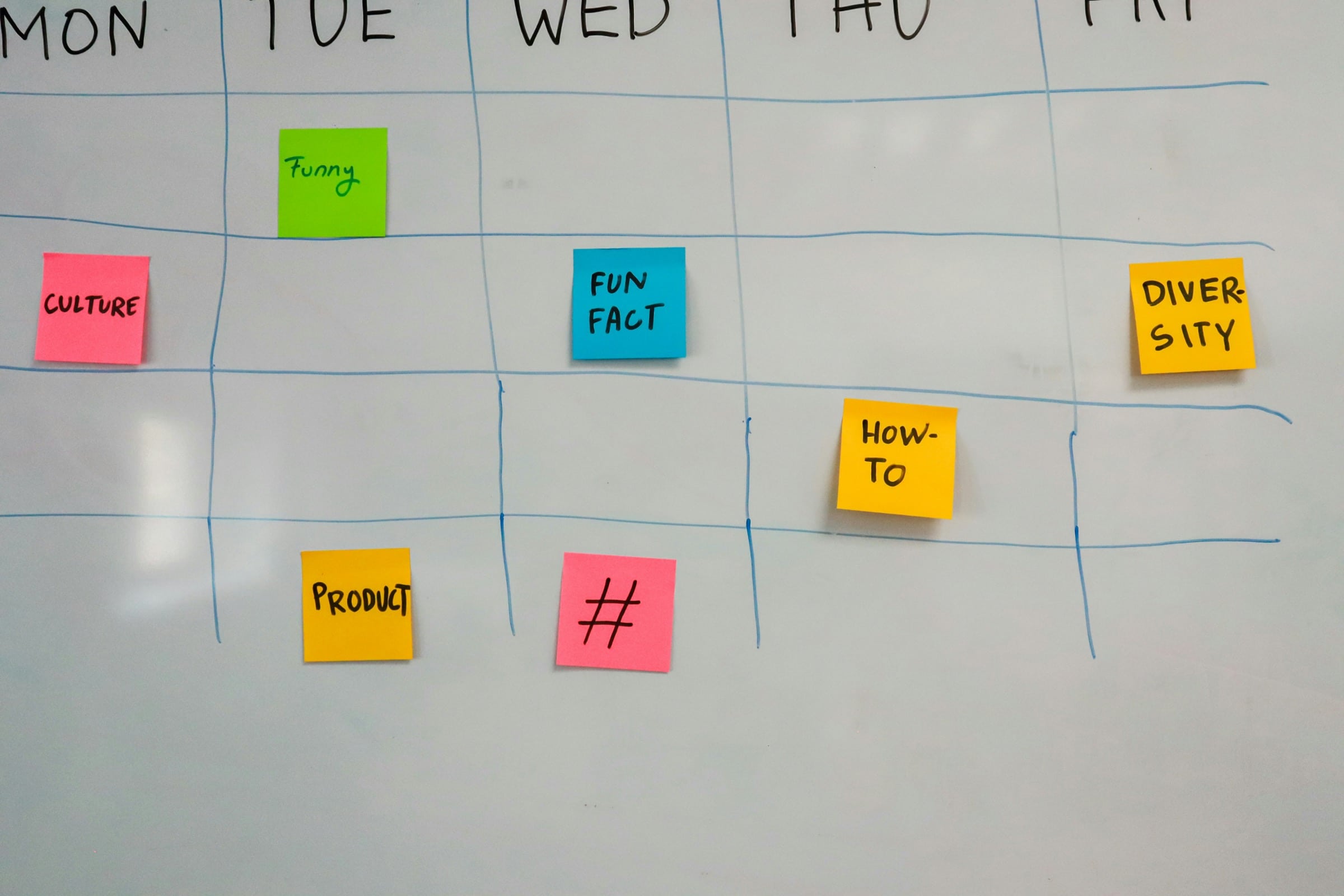
If you’ve ever sat down on a Monday morning, opened Facebook, and stared at that blank post box with absolutely nothing to say, this guide is for you.
Most small business owners don’t struggle with social media because they don’t care about it. They struggle because they’re already running at full capacity before they even think about marketing. By the time they sit down to post something, the creative energy just isn’t there. So they either throw something together that feels half-hearted, or they skip it entirely and tell themselves they’ll do better next week.
The problem isn’t motivation. It’s the absence of a plan.
A social media calendar changes that entirely. Instead of approaching every post as a blank slate, you have a framework that tells you what to post, when to post it, and why it matters. You batch your thinking, reduce your decision fatigue, and free yourself up to focus on actually running your business the other 23 hours of the day.
This guide gives you exactly that framework, built specifically for the rhythm and reality of a Midwest small business.
Why a Social Media Calendar Is a Game Changer for Small Business Owners
Before getting into the specifics, it’s worth taking a moment to understand why planning your content in advance makes such a significant difference.
Consistency becomes achievable. When you’re deciding what to post in real time, consistency depends entirely on whether you happen to feel inspired that day. When you have a calendar, consistency becomes a system. Systems don’t require inspiration. They just require follow-through.
Your content gets better. Rushed posts are rarely your best work. When you plan ahead, you have time to think about what would actually resonate with your audience, craft a caption that sounds like you, and choose a photo that represents your business well.
You stop skipping weeks. The most common social media pattern for small businesses is posting frequently for a few weeks, getting busy, disappearing for a month, and then starting the cycle over. A calendar breaks that pattern by making your next post always feel manageable rather than like something you have to create from scratch.
It reduces the mental load. Decision fatigue is real, especially for business owners making hundreds of decisions a day. Removing “what do I post today?” from your mental to-do list is a small but genuine relief.
A social media calendar doesn’t have to be complicated to be effective. The one in this guide is designed to be as simple as possible while still giving you the structure you need to show up consistently and purposefully.
Step 1: Choose Your Posting Frequency and Stick to It
Before building your calendar, you need to decide how often you’re realistically going to post. And the key word there is realistically.
Three consistent posts per week will always outperform seven posts one week and zero the next. Platform algorithms reward consistency, and your audience does too. When you show up on a predictable schedule, people start to expect your content. That expectation builds familiarity, and familiarity builds trust.
Posting frequency guidelines by situation:
- Just getting started or returning after a long break: Two to three posts per week. Build the habit before you build the volume.
- Established and ready to grow: Three to five posts per week. This is the sweet spot for most Midwest small businesses.
- Ready to maximize reach with support: Five to seven posts per week. Only commit to this if you have help or a very efficient content system in place.
Pick a number you can sustain through your busiest season, not just your slow one. Whatever that number is, that’s your baseline.
Step 2: Understand the Five Content Pillars
A content pillar is a category of content that serves a specific purpose for your audience and your business. Having five clear pillars means you never have to start from scratch, because you always have a category to draw from.
For Midwest small businesses, these five pillars work consistently well:
Pillar 1: Behind the Scenes
Show people what it actually looks like to run your business day to day. The morning setup. The project in progress. The team lunch. The view from the job site. This content builds the kind of familiarity that makes people feel like they already know you before they ever reach out.
Pillar 2: Education and Tips
Share something useful that your ideal customer would genuinely want to know. Answer the question you get asked most often. Explain something about your industry that most people don’t understand. Bust a common myth. This content positions you as the local expert and gives people a reason to follow you even when they’re not ready to buy yet.
Pillar 3: Community and Connection
Celebrate your town, your neighbors, and the things that make your community worth investing in. Shout out another local business. Share a photo from a community event. Acknowledge a local milestone. This content reinforces that you’re not just a business operating in the community — you’re part of it.
Pillar 4: Social Proof
Share what your customers say about working with you. A testimonial, a before and after, a review screenshot, a customer story. This content does the selling without feeling like selling, because it lets other people’s words do the work.
Pillar 5: Offers and Promotions
This is where you make a direct ask. A seasonal promotion, a new service announcement, a limited-time offer, a reminder to book before spots fill up. This content should make up no more than 20% of your overall posting mix. Earn the right to sell by providing value in the other four pillars first.
Step 3: Build Your Weekly Rhythm
Now that you have your posting frequency and your five pillars, you can build a weekly rhythm that tells you exactly what type of content to post on which days.
Here are three sample weekly rhythms depending on how often you’re posting:
3 Posts Per Week:
| Day | Pillar |
| Monday | Education and Tips |
| Wed | Behind the Scenes |
| Friday | Community and Connection or Social Proof |
4 Posts Per Week:
| Day | Pillar |
| Monday | Education and Tips |
| Wed | Behind the Scenes |
| Thursday | Social Proof |
| Saturday | Community and Connection |
5 Posts Per Week:
| Day | Pillar |
| Monday | Education and Tips |
| Tuesday | Behind the Scenes |
| Wed | Community and Connection |
| Thursday | Social Proof |
| Friday | Offers and Promotions |
These rhythms aren’t rigid rules. They’re starting frameworks that you adjust based on what works for your audience and your business. The goal is to have a default answer for every posting day so you never start from zero.
Step 4: Build Your Monthly Content Calendar
With your weekly rhythm in place, building a monthly calendar becomes a straightforward exercise. Here’s how to approach it.
Set aside one hour at the start of each month. This is your content planning session. Everything you’re about to do happens in this one block of time, which means the rest of the month you’re executing rather than planning.
Start with the fixed dates. Look at the month ahead and note anything that’s already scheduled: local events, holidays, seasonal milestones, any promotions you’ve already planned. These become anchors for your calendar because they give you natural content opportunities.
Fill in your pillar content around those anchors. Using your weekly rhythm as a guide, slot in a content type for each posting day. You don’t need to write the full caption yet. Just decide what pillar each post will come from.
Generate your content ideas. For each slot, write down a specific idea rather than leaving it as a generic category. “Behind the scenes” isn’t an idea. “Photo of the crew setting up for the big Hendersons job on Tuesday morning” is an idea. The more specific you get during planning, the faster you’ll move during execution.
Here’s what a sample month might look like for a Midwest service business posting four times per week:
| Week | Monday | Wednesday | Thursday | Saturday |
| Week 1 | Tip: what to look for when hiring a [service] provider | Behind the scenes: morning setup before a job | Customer review screenshot with thank-you | Shoutout to a local business we love |
| Week 2 | Myth-busting post about a common misconception in your industry | Team photo or introduction | Before and after from a recent project | Community event happening this weekend |
| Week 3 | Seasonal tip relevant to this time of year | A day in the life post | Customer story told in your own words | Celebration of a local milestone or win |
| Week 4 | Answer to the most common question you get asked | Behind the scenes: a process most people don’t see | Promotional post for a current offer or service | Reflection on what this month meant for your business |
Notice how varied this feels even though it follows a predictable structure. That variety keeps your feed interesting while the structure keeps it manageable.
Step 5: Write Your Captions in Batches
Once your calendar is mapped out, the fastest way to get your content created is to write all of your captions in one sitting rather than one at a time throughout the month.
Batching works because it keeps you in one mental mode for an extended period. You’re not switching between “running the business” brain and “writing marketing content” brain multiple times a week. You do the creative work once, and then you’re done.
Tips for efficient caption batching:
Start with the posts you feel most confident about and work your way to the harder ones. Momentum matters when you’re trying to get through a full month of content in one session.
Write the way you talk. Read every caption out loud before you move on. If it sounds stiff or unnatural when spoken, it will feel that way to your readers too.
Keep a swipe file of captions that performed well in the past. When you’re stuck, looking at what worked before often sparks an idea faster than staring at a blank document.
Don’t overthink the length. Some of your best posts will be two sentences. Others will be a full paragraph. Let the content determine the length rather than aiming for a specific word count.
End every caption with something that invites a response. A question, a call to action, or a prompt that makes it easy for someone to engage. Engagement tells the algorithm your content is worth showing to more people.
Step 6: Use a Scheduling Tool So Content Goes Out Automatically
Writing your content in batches is only half the efficiency equation. The other half is scheduling it in advance so it publishes automatically without you having to remember to post on specific days.
Scheduling tools worth considering for Midwest small businesses:
| Tool | Best For | Cost |
| Meta Business Suite | Facebook and Instagram scheduling | Free |
| Buffer | Simple scheduling across multiple platforms | Free plan available |
| Hootsuite | More robust scheduling and analytics | Paid, starts around $99/month |
| Later | Visual content planning, especially for Instagram | Free plan available |
| Planoly | Instagram and Pinterest focused | Free plan available |
For most small businesses just getting started, Meta Business Suite is the simplest and most cost-effective option for Facebook and Instagram since it’s built directly into the platforms and costs nothing to use.
Once your content is scheduled, your social media runs on autopilot for the rest of the month. You can still post in real time when something spontaneous and share-worthy happens, but your baseline presence is covered regardless of how busy things get.
Step 7: Use the Midwest Seasonal Calendar to Your Advantage
One of the most powerful and underused content planning tools available to Midwest small business owners is the seasonal rhythm of the region itself. The agricultural calendar, the community events, the weather patterns — all of these create natural content opportunities that feel timely and relevant without requiring much creative energy.
A seasonal content guide for Midwest businesses:
January and February
New year planning content, winter weather tips relevant to your industry, behind-the-scenes content about what the slow season looks like, community appreciation posts for loyal customers who stuck with you through the year.
March and April
‘Spring is coming’ energy, preparation and planning content, anything tied to the start of a new season in your industry, community events and spring festivals.
May and June
Planting season for agricultural communities, graduation celebrations, end of school year content, early summer promotions, outdoor project season for relevant industries.
July and August
County fair season, peak summer content, community events, behind-the-scenes content from your busiest season, customer stories from recent work.
September and October
Harvest season, back to school and fall routine content, preparation for the slower months ahead, gratitude and community investment content.
November and December
Holiday season promotions, end of year reflection, community giving and local charity involvement, appreciation for customers and team members, planning and goal-setting content for the new year.
Tying even a handful of posts each month to the seasonal rhythm of your community makes your content feel grounded and local in a way that no national brand can replicate.
Step 8: Review, Adjust, and Improve Every Month
A social media calendar is a living document, not a set-it-and-forget-it system. Once a month, before you plan the next month’s content, take 15 minutes to review what happened with the content you posted.
What to look at:
- Which posts got the most reach and engagement?
- Which pillar performed best this month?
- What time of day or day of the week saw the most interaction?
- Did any post generate direct messages, calls, or inquiries?
- Was there anything you posted spontaneously that outperformed your planned content?
Use those answers to inform next month’s calendar. Do more of what worked. Adjust or drop what consistently underperforms. Over time, this monthly review process builds a clearer and clearer picture of what your specific audience responds to, which makes your content more effective with less effort.
Your Social Media Calendar Starter Checklist
Use this to get your first calendar built and your system in place.
- Posting frequency decided and committed to
- Five content pillars understood and customized for your business
- Weekly rhythm mapped out by day and pillar
- One-hour monthly planning session scheduled on the calendar
- Fixed dates, events, and promotions noted for the month ahead
- Specific content ideas written for each posting slot
- Captions batched in one writing session
- Content scheduled in advance using a scheduling tool
- Seasonal calendar referenced for timely content opportunities
- Monthly review scheduled to assess performance and adjust
Showing Up Consistently Is What Separates the Businesses People Remember
In a small Midwest community, visibility and trust go hand in hand. The businesses that people think of first aren’t always the ones who have been around the longest or do the best work. They’re the ones who show up consistently enough that their name stays top of mind.
A social media calendar makes that consistency possible for a business owner who is already giving everything they have to the work itself. It takes the guesswork out of marketing, reduces the mental load of showing up online, and frees you up to focus on the thing you actually built your business to do.
You don’t need to be a content creator. You don’t need a marketing degree or a team of people helping you. You just need a plan, a little time set aside each month to execute it, and the willingness to show up as yourself for the community that already wants to support you.
If you’d like help building a social media strategy and content calendar that actually fits your business and your schedule, CJR Marketing Services is here for it. We start by asking the right questions, because good marketing always begins with understanding your business before making any recommendations.
Browse the resources on this site to find your next step. When you’re ready to talk, we’re here.